Monthly visit plan per salesperson
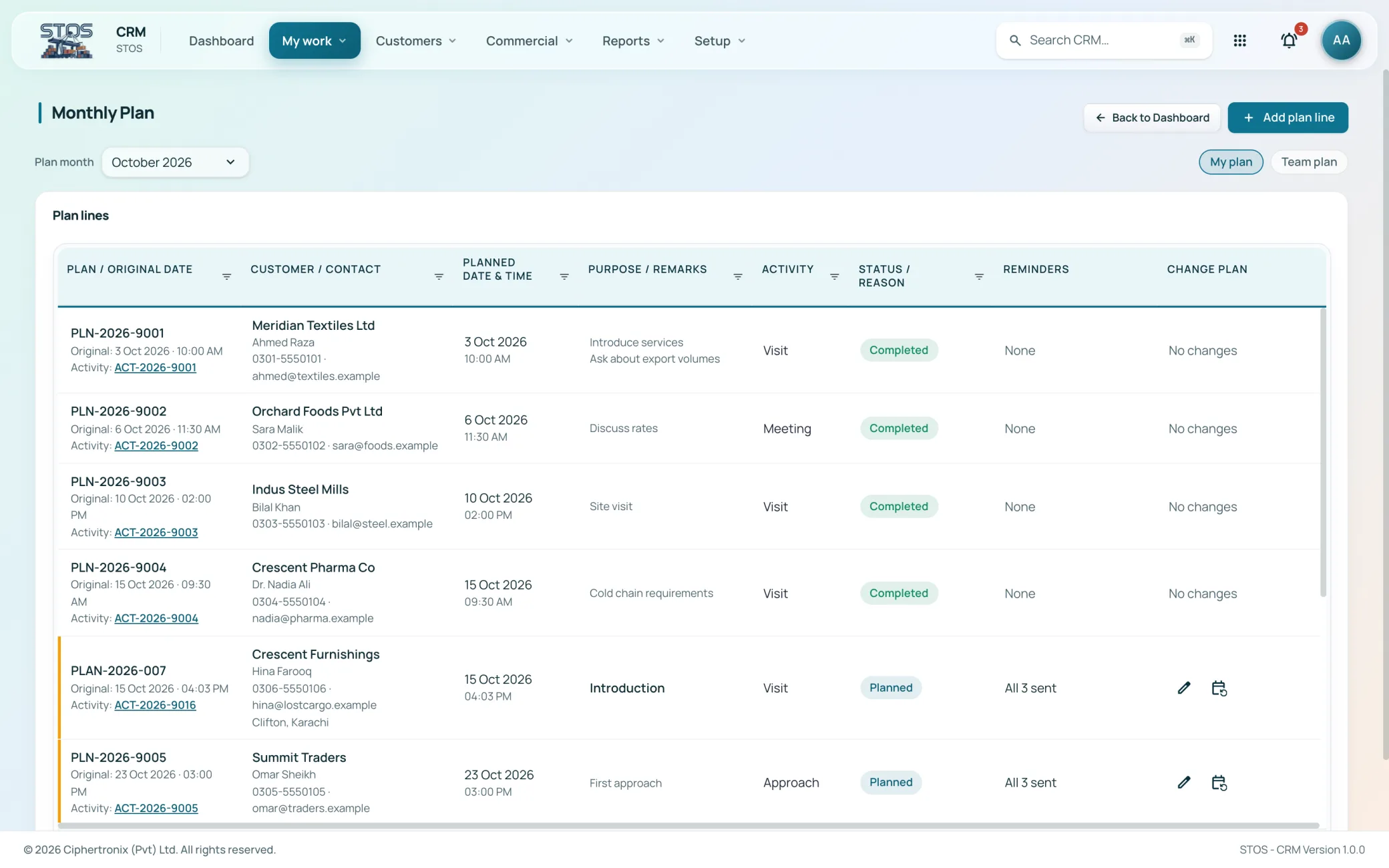
With team and individual views
STOS CRM runs the commercial side of a terminal: visit plans, activities, inquiries, quotations priced against real vendor rates, onboarding, service tickets and commission. It reads the same customer master the terminal bills against, so sales performance is reported from recorded work rather than from a spreadsheet kept on the side.
Screens captured from the running application. Customer, staff and supplier names have been replaced before capture.
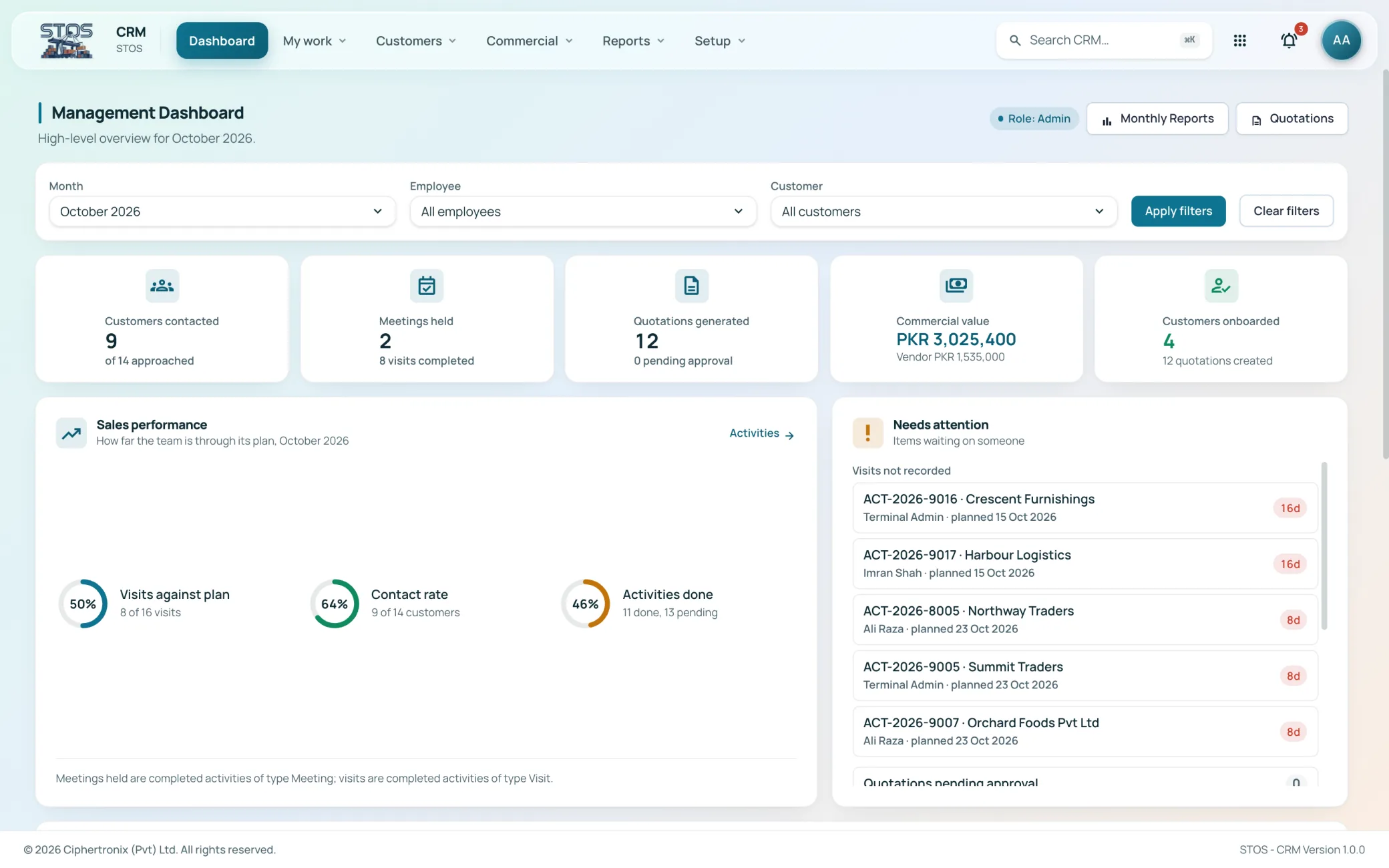
A generic sales tool treats a quotation as a number. A terminal quotation is a set of charge lines, each with a pricing basis, a quantity, a rate you sell at and a rate a vendor charges you. STOS CRM is built around that, so the margin on a quotation is visible while it is being written rather than discovered after the invoice is raised. The same applies to the customer record: a prospect here already has a cargo type, an expected container volume and a terminal history.
With team and individual views
Filtered by type, employee, customer and date
Adjusted with a reason, locked by month
Three screens cover the working day: a queue of what is due, the plan it came from, and the full activity record behind it.
A single queue of what is due, with the activity reference, customer, due date and detail on each row. Planning a visit, raising an inquiry, adding an activity and recording a completed visit all start here.
Plan lines for the month, switchable between My plan and Team plan. Each line holds the planned date and time, purpose and remarks, status and reason, and reminders. Changing a plan keeps the original date against it, so a moved visit still shows as moved.
Every activity with its reference, customer or prospect, type, employee, planned date and time, actual date and status. Counted as all, planned and completed, and filtered by type, employee, customer and date range.
The customer book is a pipeline, not an address list. Every record carries the stage it has reached and the last activity against it.
The full book with type, stage, account owner, cargo type, expected volume, source and last activity. Counted by stage across lead, approached, inquiry, quoted and onboarded, and filtered by type, account owner and cargo type.
Company and contact capture with the salesperson who owns it, the commodity, the expected container volume and the basis it is measured on. Multiple contacts and linked parties are recorded against the one company.
Splits the book into not yet onboarded and onboarded, each with the account owner and the last activity, so a quoted customer who has gone quiet is visible instead of buried.
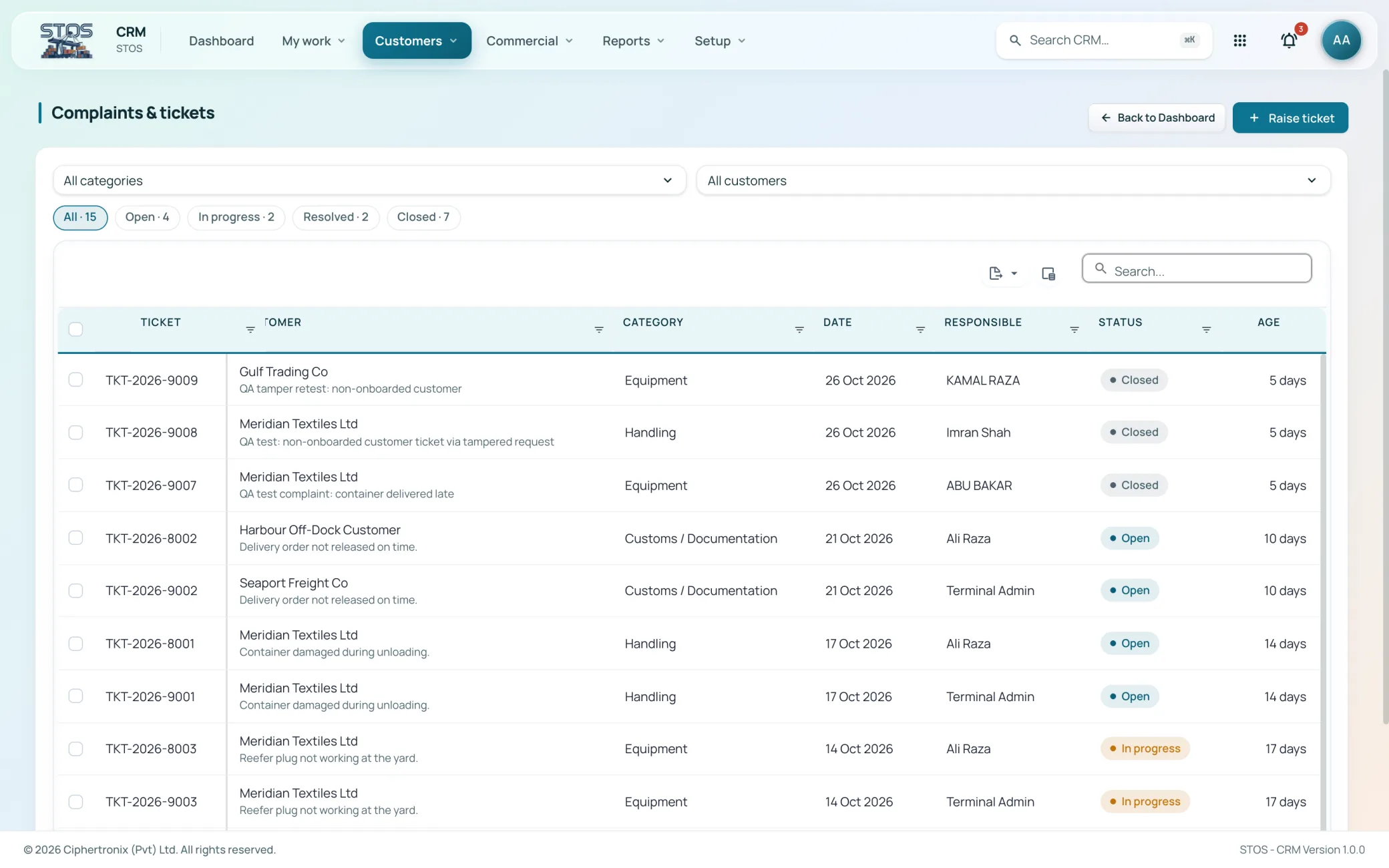
Service tickets with customer, category, date, responsible person, status and age. Categories match terminal work: handling, customs and documentation, equipment, and storage and yard.
This is where CRM stops looking like a generic sales tool. A quotation is built from charge lines that each carry both what you sell at and what it costs you.
Inquiries logged with reference, customer, who started it, the channel it arrived on, owner, status and what it is linked to. An inquiry is either converted into an opportunity or closed, so none sit undecided.
The quotation builder. Each charge line carries a charge head, pricing basis, quantity, customer rate and line total alongside the vendor, the vendor rate and the vendor total. Margin is on screen as the quotation is assembled. Saved as a draft or submitted for approval.
Rate requests to vendors with the service, the date sent, status, the rate that came back, when it was replied to and how long it stays valid. Counted as sent, replied and expired, so nothing is quoted off a lapsed rate.
The quotation ledger with reference, customer, owner, date, valid until, version and total. Status runs draft, pending approval, approved, sent, accepted by customer and expired. Quotations open, preview and copy to a new version.
Nothing here is typed in a second time. Every figure is counted from the activities, quotations and tickets already captured.
Per employee and period, broken into sales, commercial, progression, accounts and visits, and drillable down to the individual activity with its date and time, target customer, activity type and reference.
Per employee: plans, visits, meetings, customers contacted, activities open and closed, and a completion percentage. Per customer: inquiries, quotations, tickets and total activity for the month.
Calculated amount, adjustment and total per employee, showing the rule applied, the basis it used, the amount it was applied to and the rate. Adjustments require a reason, and the month is locked once it is agreed.
Thirteen setup lists hold the vocabulary the rest of the module uses. Charge heads, commission rules, visit purposes, ticket categories and reporting lines are maintained by an administrator, which is why two terminals can run the same build with different commercial rules.
Access is granted per module and per role, so two people signed into the same platform see different work.
| Role | What the role works with |
|---|---|
| Salesperson | Own workspace, monthly plan, activities, inquiries, opportunities and quotations |
| Sales lead | Team plan, quotation approval, employee performance across the team |
| Commercial | Vendor rate requests, charge heads, quotation template, pricing basis |
| Customer service | Complaints and tickets, categories, responsibility and ageing |
| Finance | Commission rules, calculated commission, adjustments and month lock |
| Administrator | Setup lists, reporting lines, role access and role assignment |
CRM is not a separate address book that drifts out of date. It runs on the same identity service, the same customer master and the same reporting layer as STOS core, so the company a salesperson is quoting is the company the terminal already stores containers for.
It is an add-on module to STOS. It is licensed separately, but it runs on the same login, the same customer master and the same reporting layer as the terminal system, which is the point of it.
Every charge line on an opportunity carries a customer rate and a vendor rate, with a line total on each side. The margin is therefore visible as the quotation is being built rather than calculated afterwards.
Vendor rate requests record when a rate was sent, when the vendor replied and how long the rate stays valid, and the list counts how many have expired. A rate that has lapsed is visible before it is used.
Commission rules are configured in setup. The commission report shows the rule applied, the basis, the amount it was applied to and the rate that produced the figure. Adjustments require a reason, and the month can be locked once it is agreed.
Yes, through change plan on the monthly plan line. The original date stays on the record alongside the new planned date, with a reason against the status, so rescheduling is visible rather than silent.
The dev configuration uses handling, customs and documentation, equipment, and storage and yard. Ticket categories are a setup list, so they are matched to how the operation is actually organised.
Yes. Monthly reports give plans, visits, meetings, customers contacted, activities open and closed and a completion percentage per employee, and employee performance drills from that down to the individual activity.
The application is browser based and responsive, which matters most for the workspace and activity screens a salesperson uses between customer visits.
Bring your own customers, tariffs and volumes and we will walk the module end to end on a live system.