Orders raised against a reference type and number
Including bill of lading
A customer instruction becomes an order, the order carries its shipments, each shipment gets a vehicle and is recorded through gate in and gate out at both the pickup and the destination. When a customer calls to ask where their container is, the answer comes off the record rather than out of somebody's memory.
Screens captured from the running application. Customer, staff and supplier names have been replaced before capture.
Most terminal transport desks track movements in a spreadsheet and confirm them by phone. It holds together until a customer asks what time the container left, or until an order sits at the destination for two days before anyone notices. Logistics records the movement as it happens, against the order, so status is a property of the record rather than something somebody remembers.
Including bill of lading
So nothing waits unnoticed
Operations and management separately
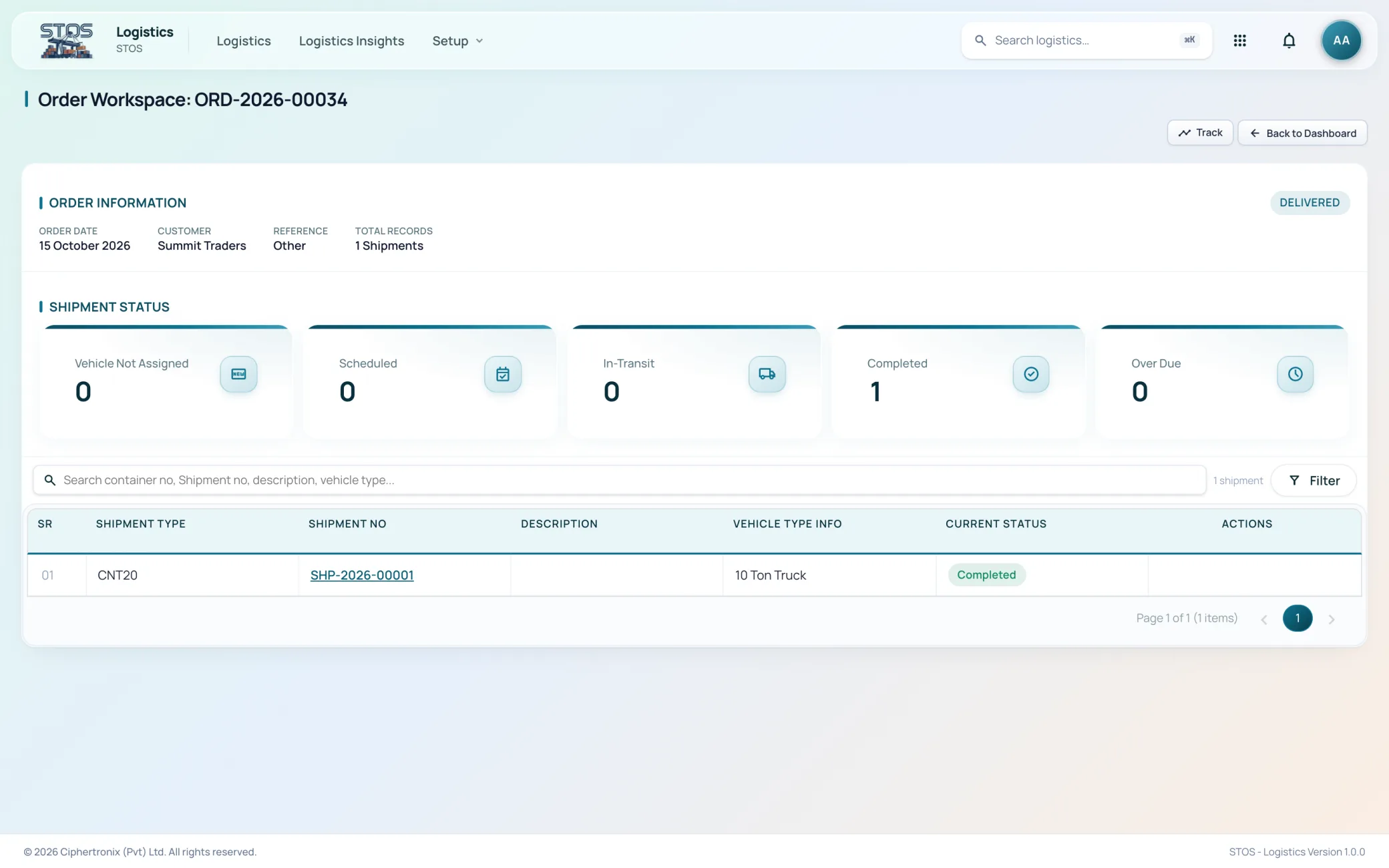
An order is the customer instruction. The shipments under it are the containers that actually move.
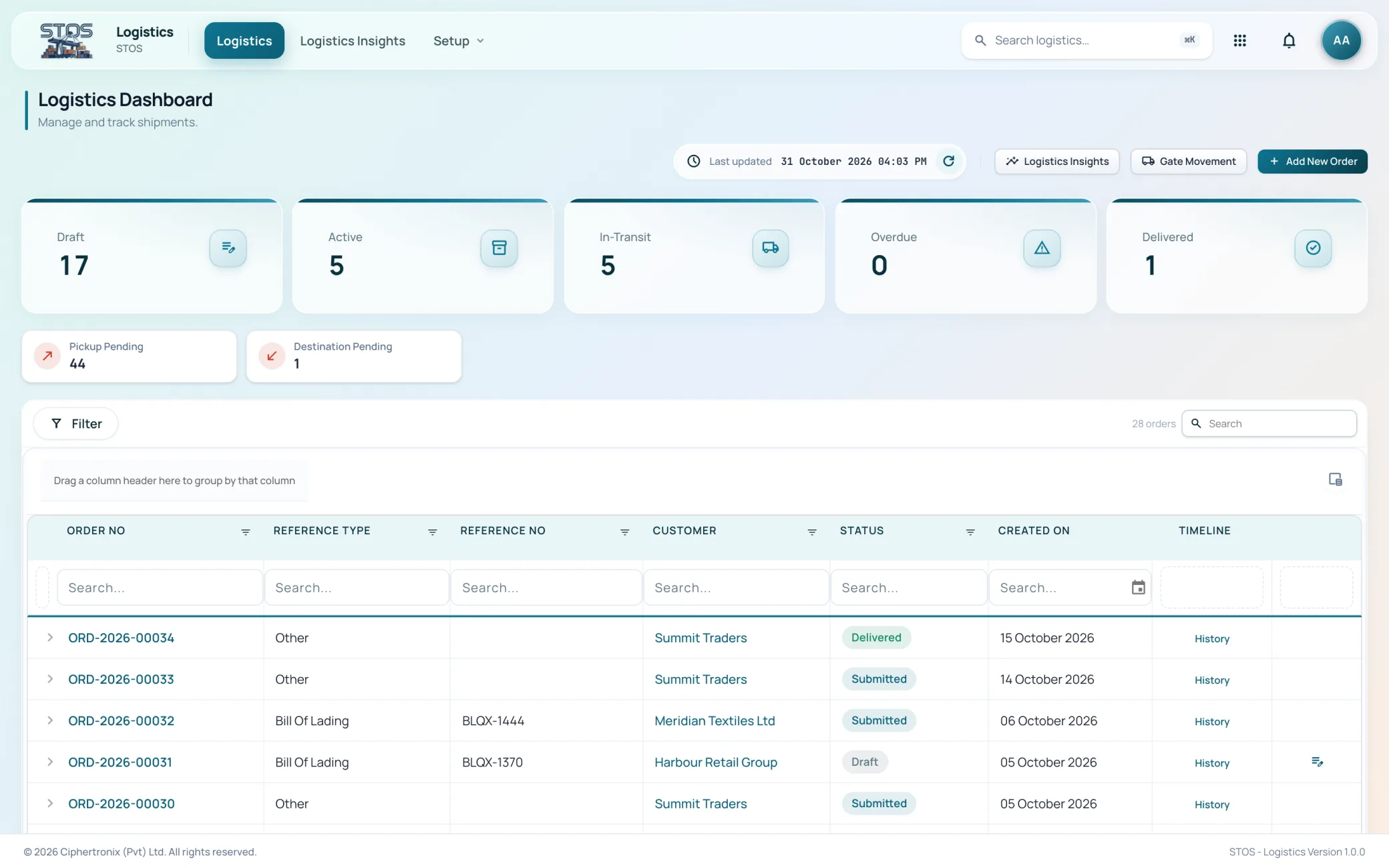
Every order with its number, reference type, reference number, customer, status and creation date, counted as draft, active, in-transit, overdue and delivered. Columns can be dragged to group the list by any field.
An order raised against a reference type and reference number, so it ties back to the bill of lading or terminal record it came from.
One order with its information panel and its shipments, each counted by status: vehicle not assigned, scheduled, in-transit, completed and over due.
Gate movement is where a shipment stops being a plan and becomes a fact.
Vehicle assignment and gate actions against a selected order and shipment. Nothing unlocks until both are chosen, so a movement cannot be recorded against the wrong container.
The vehicle and transporter attached to the shipment, changeable when plans change, with the change recorded.
Pickup pending and destination pending counted separately on the dashboard, because a container waiting to be collected and one waiting to be delivered are different problems.
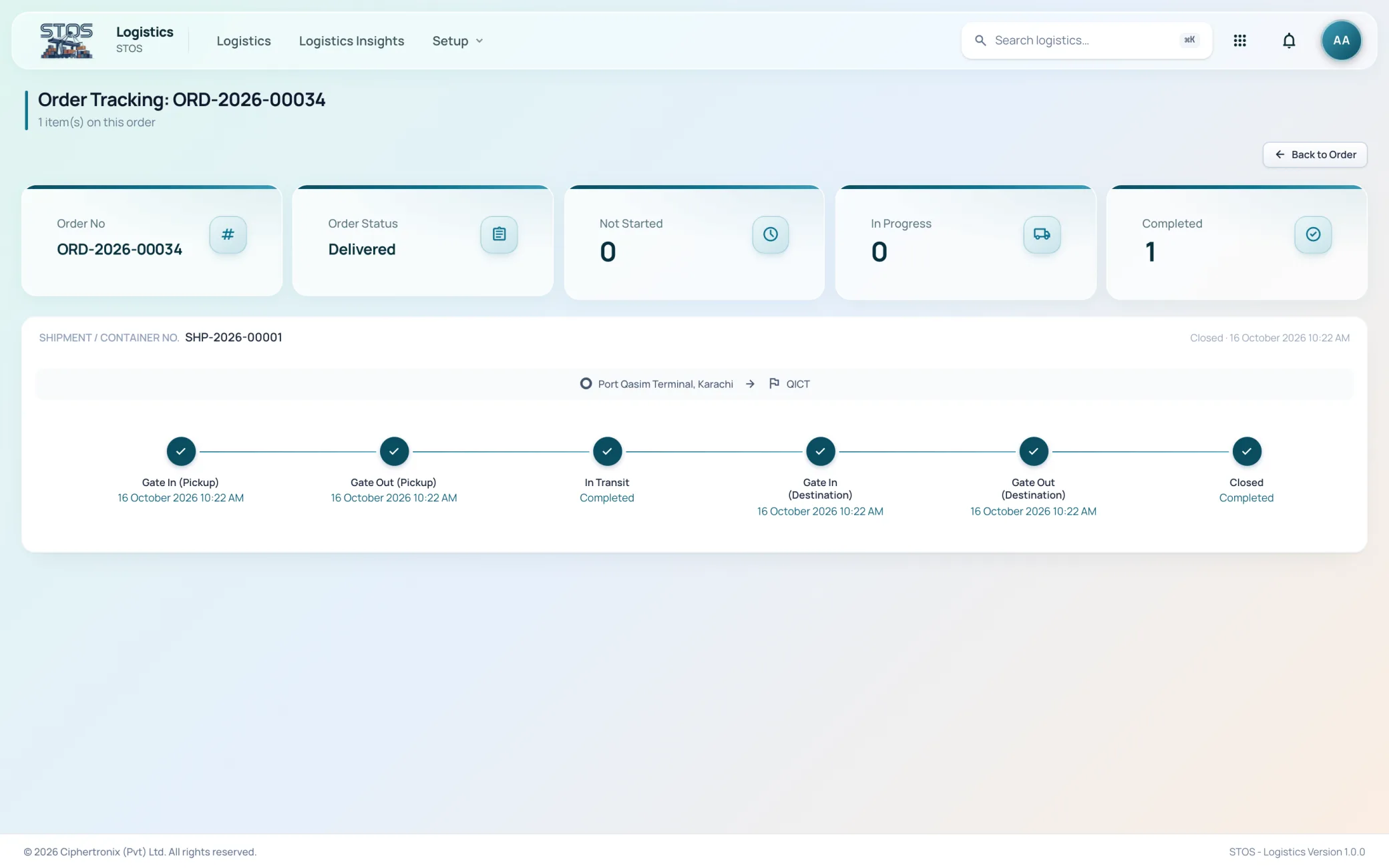
Six timestamps per shipment answer almost every question a customer has.
A timeline per shipment from origin to destination: gate in and gate out at pickup, in transit, gate in and gate out at destination, and close, each with its own timestamp.
Not started, in progress and completed counted across the shipments on the order, so a part-delivered order is visible as part delivered.
Every status change retained against the order, which is what makes a disputed delivery time answerable.
A customer, an operations manager and an executive want different things from the same data, so the module reports to each of them separately.
Three report views: customer, for shipment tracking and delivery status; executive, for SLA performance and fleet summary; and operations manager, for gate turnaround and live manifest.
Reports generated by date range, order number, reference or bill of lading number, customer, status and container or shipment number.
Vehicle number, vehicle type and the transporter it belongs to, which is what vehicle assignment draws from.
Access is granted per module and per role, so two people signed into the same platform see different work.
| Role | What the role works with |
|---|---|
| Transport desk | Raising orders, assigning vehicles, scheduling shipments |
| Gate clerk | Gate in and gate out at pickup and destination |
| Customer service | Order status and tracking, answering where a container is |
| Operations manager | Gate turnaround, live manifest, pickup and destination queues |
| Executive | SLA performance and fleet summary across the period |
| Administrator | Vehicles, transporters, reference types and role access |
An order is raised against a reference type and reference number, which is usually the bill of lading the terminal already holds. That is what keeps Logistics joined to the rest of the platform rather than running as a separate transport system with its own version of the truth.
Yes. An order is the customer instruction and the shipments under it are the containers. Each shipment gets its own vehicle, its own gate timestamps and its own position on the timeline.
Gate in and gate out at the pickup, in transit, gate in and gate out at the destination, and close. Six timestamps, each recorded as it happens, with the origin and destination named.
Through its reference type and reference number. In most cases that is the bill of lading, which is the same reference the terminal holds the container against.
The gate movement screen requires both an order and a shipment to be selected before any vehicle assignment or gate action unlocks.
The dashboard counts overdue orders alongside draft, active, in-transit and delivered, and pickup pending and destination pending are counted separately so the two kinds of waiting are not mixed together.
Yes. Logistics Insights has three views: customer for tracking and delivery status, operations manager for gate turnaround and live manifest, and executive for SLA performance and fleet summary.
Yes, like every add-on module. It is usually added by operators who run their own transport rather than subcontracting all of it.
Bring your own customers, tariffs and volumes and we will walk the module end to end on a live system.